

What Tech Do You Really Need for a First Apartment?
Last Updated: November 20, 2026
Quick Summary
First apartment tech is the small set of devices that handle daily chores, lighting, security, and charging without permanent installation or a big upfront spend. Buy power and Wi-Fi first, then add lighting, air quality, security, and entertainment as your routine settles. Most renters overbuy in month one and regret it by month three.
- A 3-in-1 folding wireless charger with a Type-C interface is priced at $26.99.
- A wireless motion sensor light needs no wiring or tools and costs $14.07.
- Test everything within the first two weeks while returns are still easy.
- Skip single-purpose gadgets like waffle makers and countertop ice makers.
- Keep network gear in a common area and change default passwords on day one.
Table of Contents
- How to Choose Essential Tech for a First Apartment
- The First Apartment Tech Checklist: What to Buy First
- Best Smart Home Gadgets for Renters Who Can't Drill
- Space-Saving Kitchen Appliances That Earn Their Counter Space
- Apartment Security Camera Systems Without Permanent Installation
- Connectivity and Networking: Getting Wi-Fi Right in a Small Unit
- Budget-Friendly vs. Long-Term Investment: Where to Spend
- Privacy, Power Use, and Living With Roommates
- Common Mistakes to Avoid When Setting Up Your First Apartment
- Build Your First Apartment Tech Setup One Order at a Time
- Frequently Asked Questions
How to Choose Essential Tech for a First Apartment
The right essential tech for first apartment living comes down to one question: will you actually use it every week? A gadget you plug in once and forget does not earn its place. This guide is built around that filter, plus the two constraints every first-apartment renter faces: limited outlets and a lease that forbids drilling.
First apartment tech is the small set of devices that handle daily chores, lighting, security, and charging without permanent installation or a big upfront spend. Most renters overbuy in month one and regret it by month three.
Below, we break down what to buy first, what to skip, and where a modest budget buys lasting value.
The First Apartment Tech Checklist: What to Buy First
Start with items that solve a daily friction point, then add comfort and security. A sensible order looks like this:
- Charging and power: a multi-device charger and one smart plug
- Lighting: a motion sensor light for hallways and closets
- Air and comfort: a compact air purifier
- Kitchen: one compact appliance you will use several times a week
- Security: a plug-in or adhesive-mounted camera
- Network: a reliable router or a mesh node if the signal drops
A practical first purchase is a 3-in-1 folding wireless charger. Its listing describes a foldable design with a Type-C interface, and it is priced at $26.99.
What most guides miss is sequencing. Buy the boring infrastructure, power and Wi-Fi, before the fun gadgets. Everything else depends on it.
Best Smart Home Gadgets for Renters Who Can't Drill
Rental-friendly installation is the deciding factor here. Anything that mounts with adhesive, sits on a shelf, or plugs into an outlet qualifies. Anything requiring a drill or a wall anchor does not.
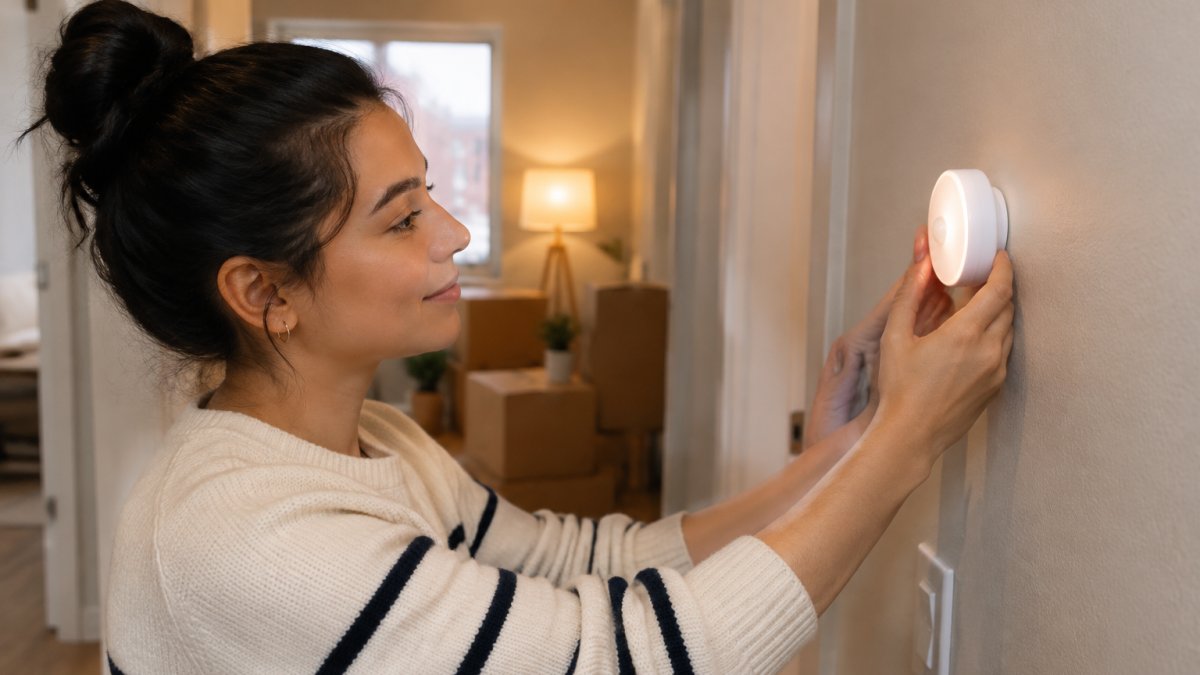
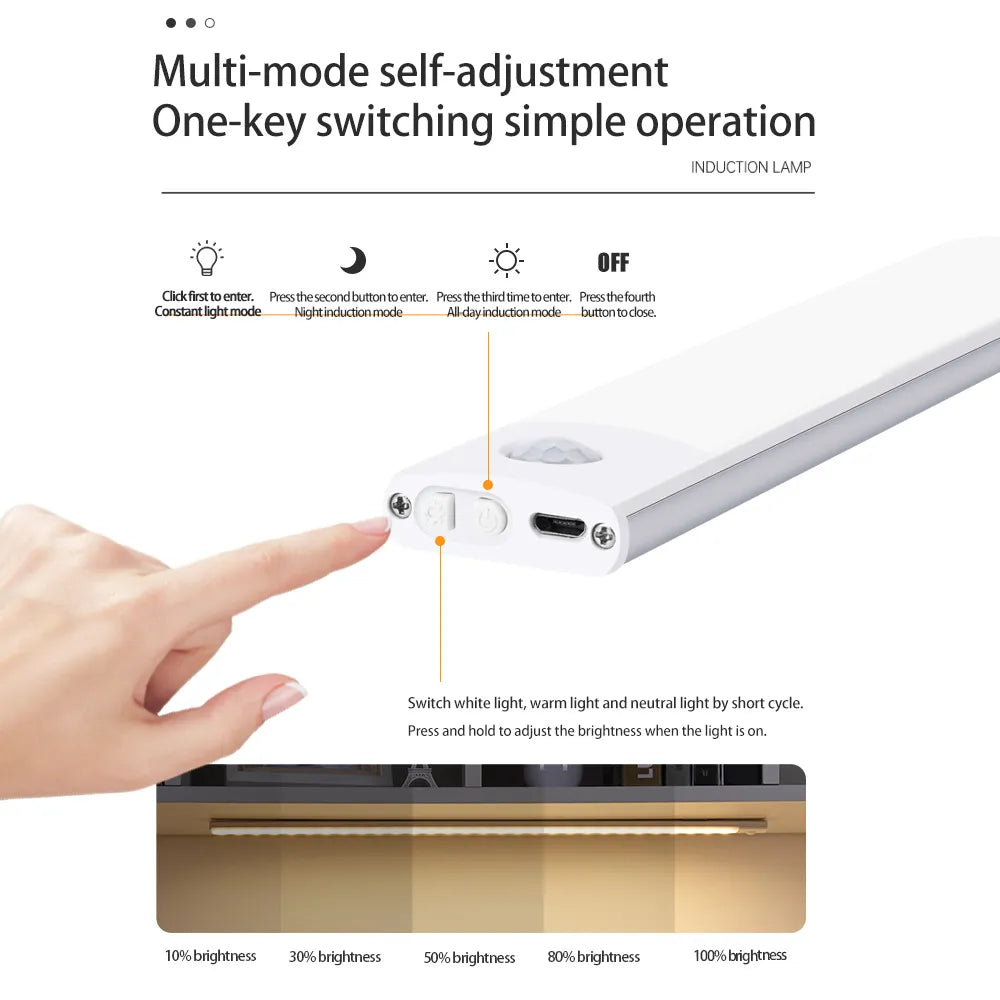
The best smart home gadgets for renters share three traits: no wiring, no damage on removal, and no hub required. A wireless motion sensor light is listed as requiring no wiring or tools, activating on motion, and being usable indoors or outdoors. It is priced at $14.07.
Space-Saving Kitchen Appliances That Earn Their Counter Space
Counter space is the scarcest resource in a small kitchen. The rule we use: if an appliance cannot be stored in a cabinet and pulled out weekly, it does not get counter space. That single filter eliminates most of the category before you spend a dollar.
Compact appliances that genuinely earn their spot tend to be multipurpose and draw modest power. A portable projector, for example, turns a blank wall into a movie screen and stores in a closet between uses. That is a portable projector doing double duty as entertainment without a TV stand.
For cooking, prioritize one appliance that replaces several. Multifunction appliances can reduce how much counter space you need, so check each model's dimensions and wattage against your outlets before buying.
Skip the single-purpose gadgets until you know your cooking routine. Waffle makers, popcorn poppers, and countertop ice makers are often bought on impulse and used less than expected.
Apartment Security Camera Systems Without Permanent Installation
Remote monitoring matters more than resolution for renters. A camera that pings your phone when the door opens is more useful than a 4K unit you check twice a month. Keep the feed on your own account and change the default password on day one.
Connectivity and Networking: Getting Wi-Fi Right in a Small Unit
Neighbors' networks crowd the same channels, and thick walls bounce signal in ways a bigger router cannot fix.
Start with placement.
Budget-Friendly vs. Long-Term Investment: Where to Spend
Split your budget into two piles: replaceables and keepers. Replaceables are cheap, low-risk buys you may upgrade in a year. Keepers are the devices you will take to your next three apartments.
| Category | Budget pick | Long-term pick | Why |
|---|---|---|---|
| Charging | Basic cable and adapter | Multi-device charging stand | Consolidates clutter, survives moves |
| Lighting | Plug-in night light | Motion sensor light | Hands-free, no wiring |
| Air quality | None | Compact air purifier | Runs daily, low upkeep |
| Network | Landlord's router | Your own router or mesh node | Control and portability |
| Security | Door sensor | Plug-in indoor camera | Remote monitoring |
Spend on the keepers first, such as a reliable charger, and save on replaceable items where a lower-cost option may serve the same purpose.
Privacy, Power Use, and Living With Roommates
Shared living changes the tech math. Every device on the network is a shared decision, and every always-on gadget shows up on a shared utility bill. Most guides skip this entirely, which is why renters in shared units end up with cameras pointed at hallway doors and a router login nobody controls.
Privacy first: agree on which devices have cameras and microphones, and where they point. A camera aimed at a roommate's bedroom door is a problem, not a feature. Set up separate accounts rather than one shared login, and turn on two-factor authentication for anything with a camera. If your building provides shared Wi-Fi, do not put smart devices on it, a landlord-managed network can see device traffic and may block the ports your camera needs. Put your own router between the building's connection and your devices, or use a travel router for your unit, and change the default admin password on day one.
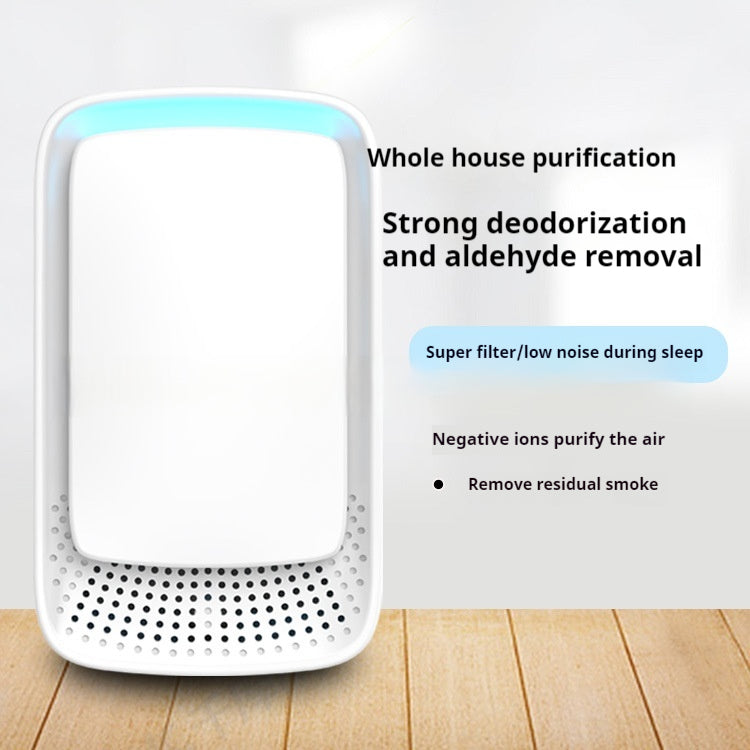
For cameras and doorbells, look for a physical privacy shutter or an off switch, and schedule motion alerts rather than leaving them on 24/7. A plug-in air purifier is listed as ideal for homes, offices and pet areas, and it is designed to remove odors, smoke and pet smells.
Power use is the quieter issue. A smart plug that reports energy use shows you which devices drain standby power, game consoles, cable boxes, and older TVs are the usual culprits, often drawing 5 to 15 watts around the clock. Multiply that by 24 hours and 30 days, and a single always-on device can add a few dollars a month at typical residential rates. Group devices on one power strip so "off" actually means off, and use scheduled routines to cut standby draw on devices you only use in the evening.
Agree on the shared bill before you buy. A simple pattern that works: whoever owns the device pays the incremental cost, or the group splits the difference on the first bill and adjusts from there. Smart plugs with energy monitoring make that conversation concrete instead of a guess.
Watch out: a mesh node or router placed in a roommate's room becomes their problem to reset. Keep network gear in a common area, label the power strip, and write the admin login on a note taped inside a cabinet, not on the router itself.
Common Mistakes to Avoid When Setting Up Your First Apartment
The biggest mistake is buying the whole setup at once. A common approach is to start with power, lighting, and Wi-Fi, live with it for a month, then fill gaps.
Three more pitfalls we see often:
- Skipping the return window. Open and test everything within the first two weeks, while returns are still easy.
- Ignoring compatibility. Check that new devices work with the phone and assistant you already own before ordering.
- Over-automating. A routine that fires five devices at once is fun for a week and annoying by month two. Start with one or two.
Troubleshooting gets easier when you add one device at a time. When something breaks, you know exactly what changed.
Build Your First Apartment Tech Setup One Order at a Time
The setup that lasts is the one built in stages. Start with charging and lighting, add network and air quality, then layer in security and entertainment as your routine settles.
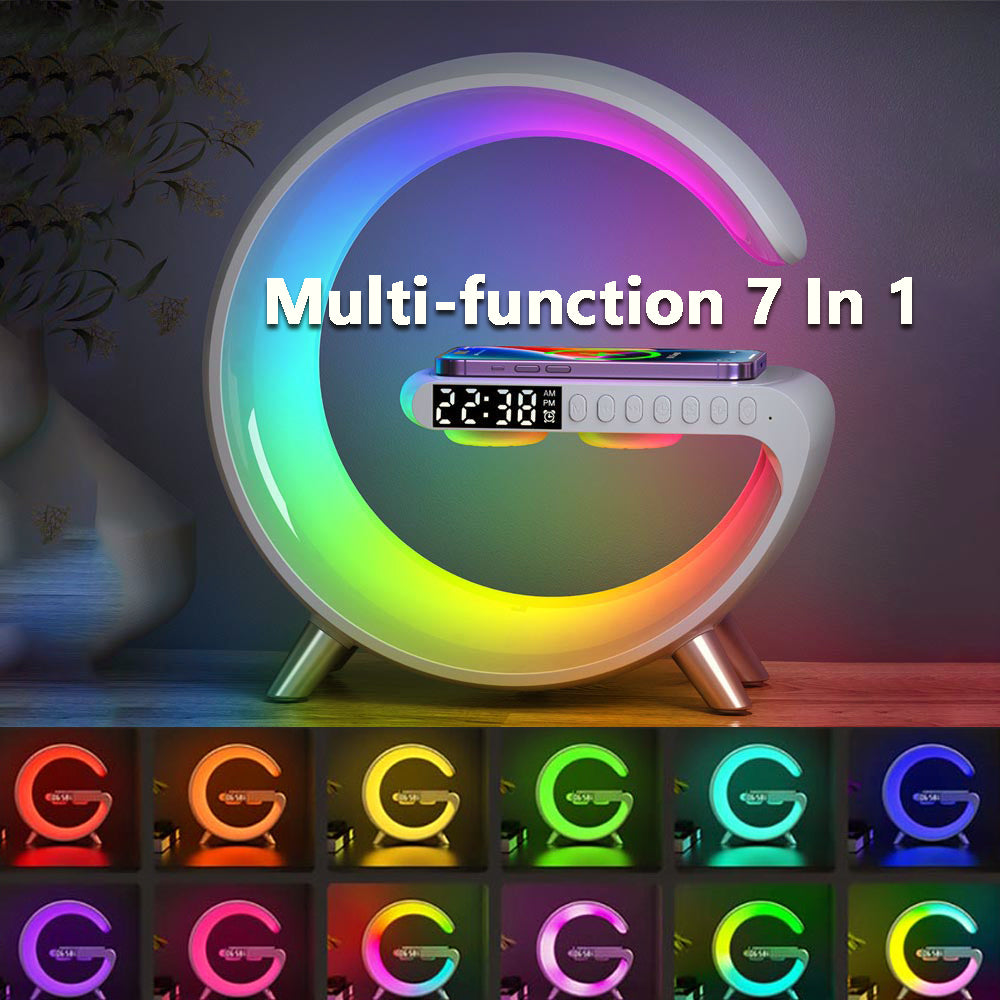
A multi-function Bluetooth lamp combines a table lamp, a charger and Bluetooth connectivity in one unit. At Your24/7stop&shop, standard orders ship free, checkout is secure, and returns are easy for 30 days. Our 24/7 real human support is available to help you.
Get started with Your24/7stop&shop and build a first apartment setup that fits your space, your lease, and your budget.
Your first apartment does not need every gadget on the shelf. It needs a handful of devices that work every day and move with you when the lease ends. Pick the keepers, test them early, and add the rest as your routine tells you what is missing. That is how a small setup becomes a home.
Frequently Asked Questions
What are the most important smart home devices for a small apartment?
Start with the devices that solve daily friction rather than the flashiest ones. A wireless charger station keeps cables off the counter, a motion sensor light covers hallways and closets without wiring, and a smart plug handles lamps and small appliances on a schedule. An air purifier helps in sealed units where cooking smells and pet odors linger. Together these cover charging, lighting, scheduling and air quality, which is most of what a first apartment actually needs.
How can I improve apartment security without permanent installations?
Choose cameras and sensors that mount with adhesive strips or sit on a shelf, and check your lease before putting anything into a wall. Plug-in cameras and wireless motion lights need no drilling and come off without marks. Point exterior-facing cameras only at your own door or hallway space, and tell your landlord what you have added. Renters insurance is the other half of security, and it usually costs less per month than a single camera.
What kitchen tech is actually worth the counter space in a first apartment?
Only buy appliances you will use several times a week and that fold, stack or tuck away. A mini portable steam iron is listed as a lightweight, folding travel iron with a 50 ml water tank. For cooking, prioritize one multifunction appliance over three single-purpose ones, and measure your counter depth before ordering anything. If a gadget needs a dedicated outlet and never leaves the counter, it has to justify that space every week.
Are smart plugs worth it for a first-time renter?
Yes, for lamps, fans and small appliances on a schedule. Smart plugs are cheap, need no wiring and move with you when you leave, which suits rental-friendly setups. They also help with power management: scheduling a lamp or fan instead of leaving it running cuts wasted electricity. Skip them for high-draw appliances like space heaters or window air conditioners unless the plug is rated for that load.
What are the best space-saving gadgets for small apartments?
Look for anything that folds, mounts or combines two jobs. A foldable 3-in-1 wireless charging station is listed as a single charging stand with a Type-C interface. A wall-mountable air purifier frees floor space in a studio. A wireless motion sensor light removes the need for a floor lamp in a narrow hallway. The test is simple: if it cannot be packed into a single box on moving day, think twice before buying it.
How do I set up a reliable home network in a new apartment?
Put the router central and off the floor, not in a closet behind the TV. In older buildings with thick walls, a mesh system beats a single router for covering a bedroom and living room. Check what internet speeds the building is wired for before you sign a contract, and secure the network with a changed admin password and WPA3 if your router supports it. Test video calls from the room you work in before adding more devices.
